Audit Yourself the Way You'll Be Surveyed.
Build an audit against the standards you're actually held to, then record what you find the way a surveyor records it. Findings, observations, and noteworthy efforts, each with its evidence attached and its clause cited before you leave the unit.
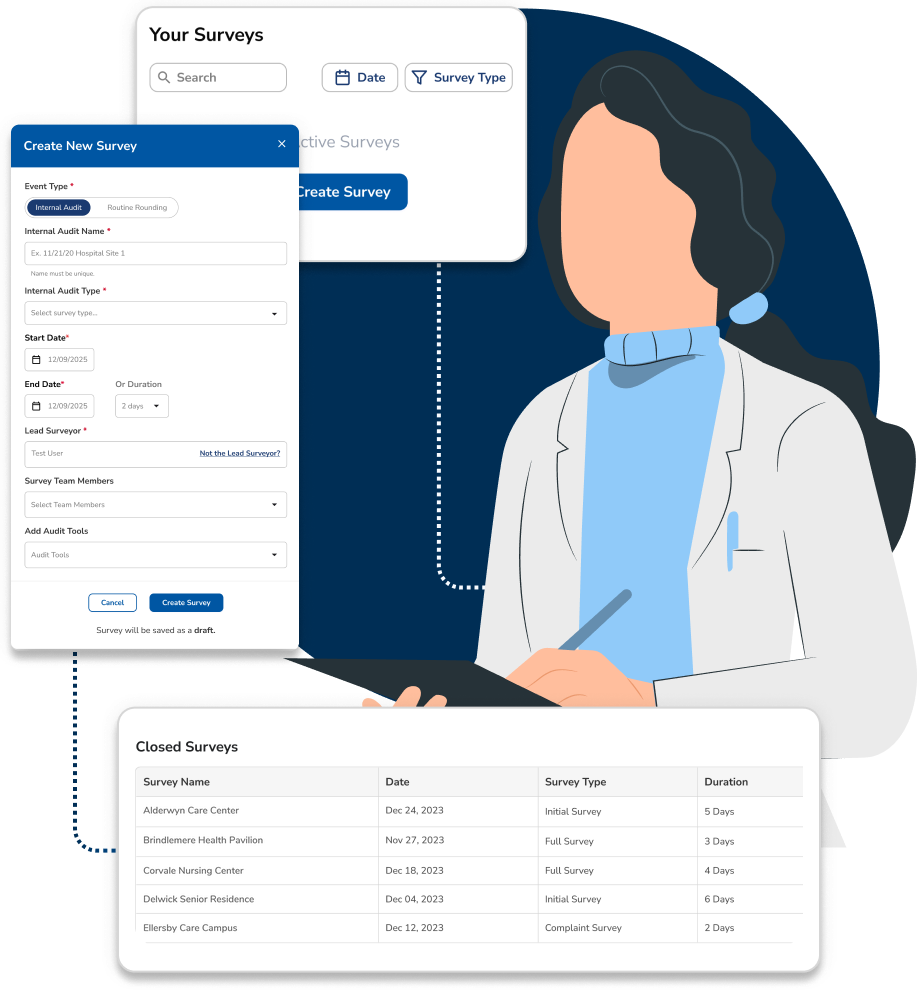
Grade Yourself With the Tools You'll Be Graded With
Find it yourself, on your schedule, before a surveyor finds it on theirs.
The Accreditor's Instrument, Before the Accreditor
The standards, chapters, and survey instruments your accreditor works from are already in the platform, DNV NIAHO, CMS Conditions of Participation, and the certification programs layered on top of them. Pick the chapter you want to test, scope it to a unit or a service line, and the audit is built against the real requirement, not a summary of it.
Risk-Based Audit Planning
Plan the program the way ISO 9001 expects it: audit where the risk is. Weight scope by past findings, open corrective actions, recent incidents and the standards your last survey touched, so the schedule defends itself when someone asks why you audited there.
Live Capture on the Unit
Record findings in real time during walkthroughs and interviews, on a phone, in the room. Cite the clause, photograph the condition, name the location and the responsible department before you walk out. Nothing waits for after-the-fact data entry.
Linked Evidence
Attach policies, photos, forms, interview notes and supporting documentation directly to each finding. Every entry is timestamped and bound to the standard it was written against, so the audit trail is complete the moment the audit closes, not assembled the week before a survey.
Reports in the Shape You Need
Close the audit and the output already uses your accreditor's own terms: findings by category, observations, noteworthy efforts and open corrective actions, under an executive summary leadership can read in a minute. Take it as a custom Excel extract or as a visual dashboard in Relevance BI.
Not Everything You See Is a Finding
Surveyors do not write down one kind of thing. Neither should your auditors. Recording all three tiers is what turns an internal audit from a list of problems into evidence that your quality system works.
Finding
A requirement was not met, a standard, a regulation, or your own policy. It names the clause it violates, the evidence behind it, and the department that owns it. Group related findings into one nonconformity when they share a cause. A finding starts a clock: it requires a root cause analysis and a corrective action plan, and stays open until effectiveness is proven.
Observation
A condition that is not a nonconformity yet. A single lapse with no evidence of systemic failure, or a practice that will fail the requirement if nothing changes. It carries no mandatory corrective action, but it is recorded, owned, trended, and visible the next time anyone audits that process.
Noteworthy Effort
A practice that exceeds the requirement. Most audit tools have nowhere to put one, so the best thing your organization does gets forgotten between surveys. Record it, attach the evidence, and route it to the units with the same process area, so what works in one place spreads instead of staying local.
Category and Severity
Every finding is graded, not just logged. Categorize by severity the way your accreditor does, so the difference between a nonconformity that puts patients at risk and one that does not is visible before you decide what to fix first, and so your CAP deadlines reflect real urgency.
Related
- RCA & CAPsA finding starts a clock: it requires a root cause analysis and a corrective action plan.
- Effectiveness MonitoringThe finding stays open until you prove the fix held.
- RoundsRecurring observation on a schedule is a round. A scoped examination against a standard is an audit.
- AutomationsA finding can open its own corrective action or push the policy it cites into review.
- Survey-ReadyWhen a finding cites a policy, that policy's review and approval history has to hold up too.
- Clara VoiceDictate a finding out loud on the unit.
- Reporting & DashboardsTrend findings across audits, sites and standards in Relevance BI.
- BenchmarkingYour audit findings are part of what gets benchmarked against hospitals your size.
- McLeod Health Case StudyHow McLeod Health connects internal audit findings to the vendor behind them.
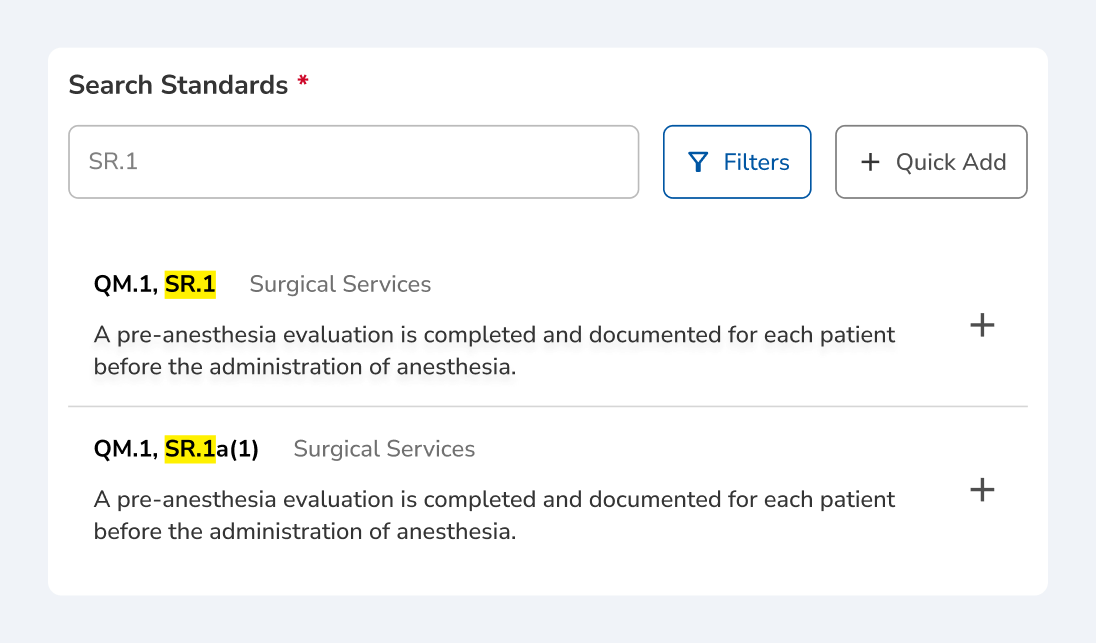
Search the standard, attach the requirement
A finding that cites nothing is an opinion. Search the standard set by section or keyword, narrow it to the service line you are auditing, and add the requirement text to the finding itself, so the clause travels with it from the unit to the report.
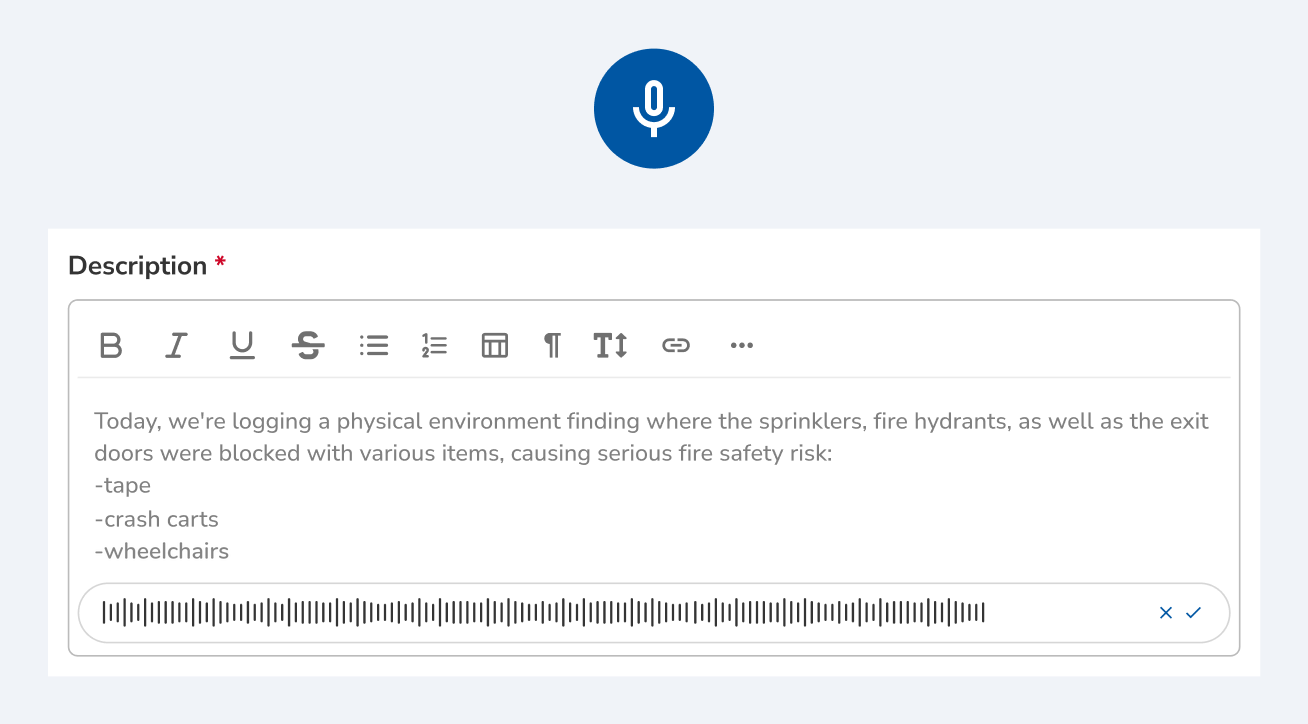
Dictate the finding before you leave the unit
Typing a finding on a phone in a corridor is how the detail gets lost. Tap the microphone and describe what you are looking at, and Clara transcribes it into the description field. You read the transcript back and accept or discard it before anything is saved.
How Clara AI Enhances
Internal Audits
Clara sits in the audit with your team. Describe what you found in plain language and she cites the clause, pulls the last finding written against it, and drafts the entry. Clara proposes; your lead auditor confirms every citation and signs every finding before it exists.

CLARA
Clarity in complianceClara reads
Clara proposes
Clara shows the clause text beside every citation. Your lead auditor confirms the mapping and signs the report.