All frameworks

Regulatory

OSHA: Managing Workplace Safety Reporting and Recordkeeping in Healthcare

The Occupational Safety and Health Administration (OSHA) regulates workplace safety for hospital employees, distinct from the patient-safety and CMS-facing requirements covered by the CoPs and state regulations.

8 hoursTo report a work-related fatality to OSHA, measured from the death itself, or, if the employer did not know of it at the time, from when it learns of it.29 CFR §1904.39
24 hoursTo report a work-related in-patient hospitalization, amputation, or loss of an eye.29 CFR §1904.39
Feb 1 – Apr 30The annual Form 300A posting window, required every year, even in years with zero recordable injuries.29 CFR §1904.32(b)(6)
3 formsForm 300, Form 301, and Form 300A: the running log, the per-case incident report, and the annual summary.OSHA Recordkeeping 2014 Rule

What OSHA Covers in a Hospital Setting

For hospitals, OSHA's most operationally significant requirements fall into two categories: severe incident reporting under 29 CFR §1904.39, and injury and illness recordkeeping under 29 CFR Part 1904, both of which OSHA's own Hospitals eTool applies directly to hospital employers (OSHA Hospitals eTool: Recordkeeping).

Reporting Requirements

OSHA's reporting rule sets two hard deadlines, measured from the qualifying event itself, or, in the narrow cases where the employer did not learn of the event or its work-relatedness at the time, from the point it does:

  • Work-related fatality: must be reported to OSHA within 8 hours.
  • Work-related in-patient hospitalization, amputation, or loss of an eye: must be reported to OSHA within 24 hours (29 CFR §1904.39, OSHA).

Separately, OSHA's recordkeeping rule requires covered employers to maintain three forms: Form 300 (the Log of Work-Related Injuries and Illnesses, updated as recordable events occur), Form 301 (the Injury and Illness Incident Report, completed for each recordable case), and Form 300A (the Annual Summary), which must be completed and posted in the workplace every year, even in years with zero recordable injuries, during the February 1 through April 30 posting window (29 CFR §1904.32(b)(6); OSHA Recordkeeping 2014 Rule).
Why OSHA Belongs in Your Quality Management System

Needlesticks, patient-handling injuries, workplace violence incidents, and exposure events are common in hospital settings, and the 8-hour and 24-hour reporting clocks run from the qualifying event itself, not from the moment someone gets around to checking the requirement. A missed OSHA reporting deadline is a straightforward citation with financial penalties, and it's entirely preventable with the right event-classification and escalation workflow. Because many of the same incidents that trigger OSHA reporting also touch patient-safety or risk-management review (a sharps injury during a procedure, for instance), treating OSHA reporting as a bolt-on process separate from your safety-event workflow creates duplicate work and missed deadlines.

Never Miss an OSHA Reporting Deadline

See how Medlaunch turns the 8-hour and 24-hour OSHA reporting clocks into an automated, escalating workflow, request a walkthrough.

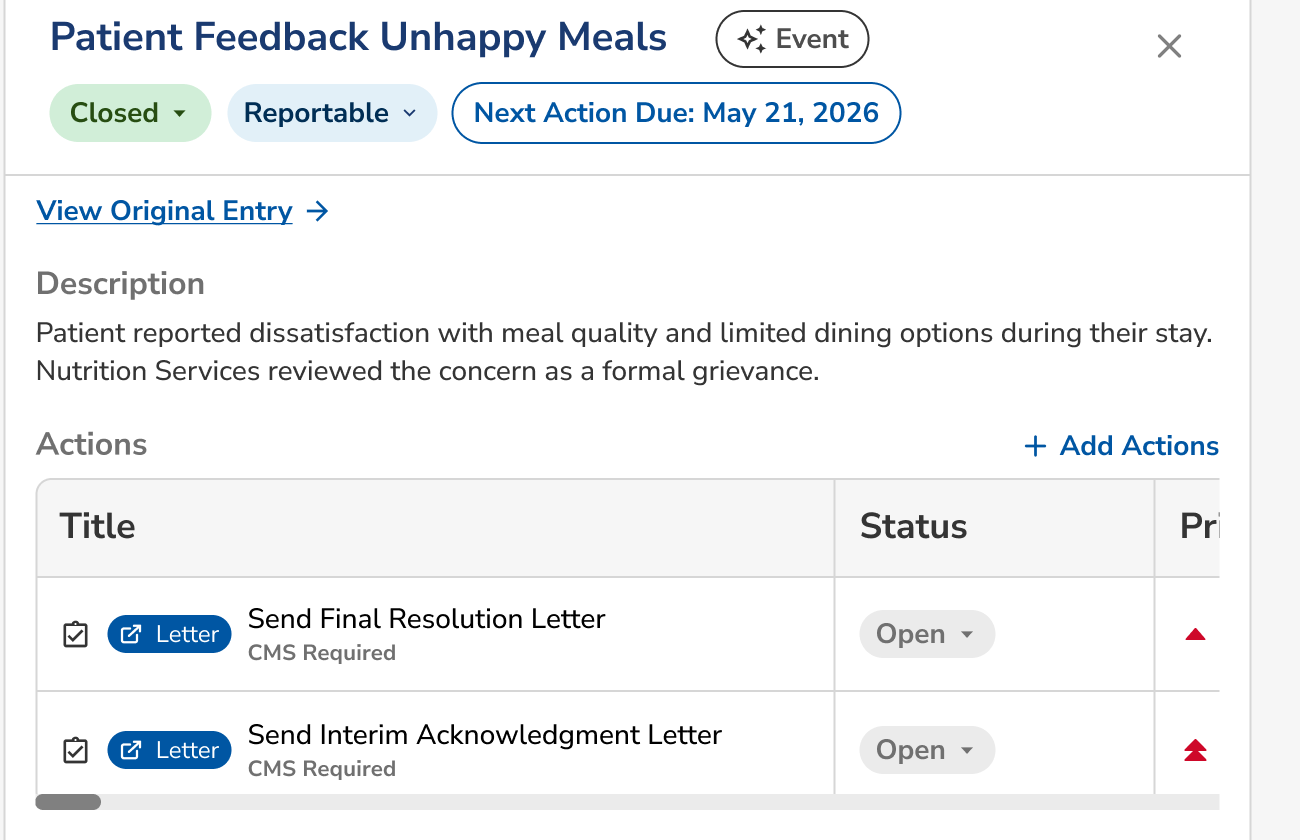
Light reportable-event detail panel: a patient-feedback event with Closed and Reportable status badges and a "Next Action Due" date badge, beside an Actions table of CMS-required follow-up letters and their status.

In the platform

How Medlaunch handles it

Every claim below is a screen you can open in a demo.

01

The reporting clock starts itself

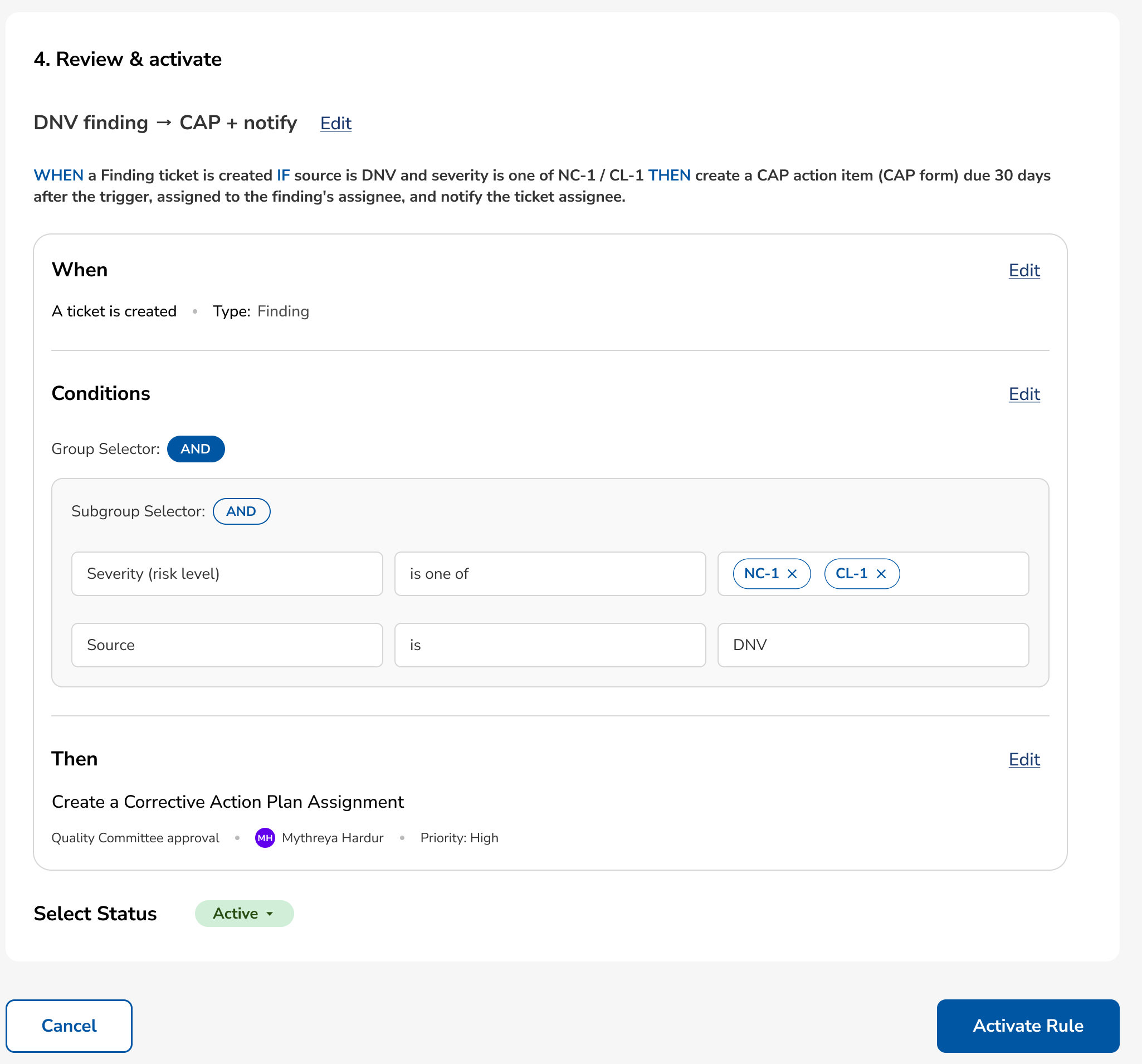
Medlaunch's rule builder lets you encode OSHA's reporting triggers directly into the platform alongside your organization's own incident-classification policies. When a safety event logged through Risk Management is classified as a work-related fatality, in-patient hospitalization, amputation, or loss of an eye, a rule automatically starts the appropriate 8-hour or 24-hour countdown, generates the required documentation fields, and escalates to safety leadership as the deadline approaches, removing the manual step of someone recognizing "this event is OSHA-reportable" under time pressure.

Light rule builder "Review & activate" step: an example rule ("DNV finding → CAP + notify") showing When/Conditions/Then logic and an auto-generated Corrective Action Plan assignment due 30 days after the trigger.

02

Clara keeps the 300 log and 300A summary current

Clara can help pre-populate the OSHA report narrative from the underlying incident record, confirm whether an event meets a reportable threshold based on the facts logged, and maintain the running Form 300 log and annual Form 300A summary automatically from tagged events, rather than requiring a separate manual reconciliation each January.

03

OSHA criteria and thresholds in a dynamically mapped library

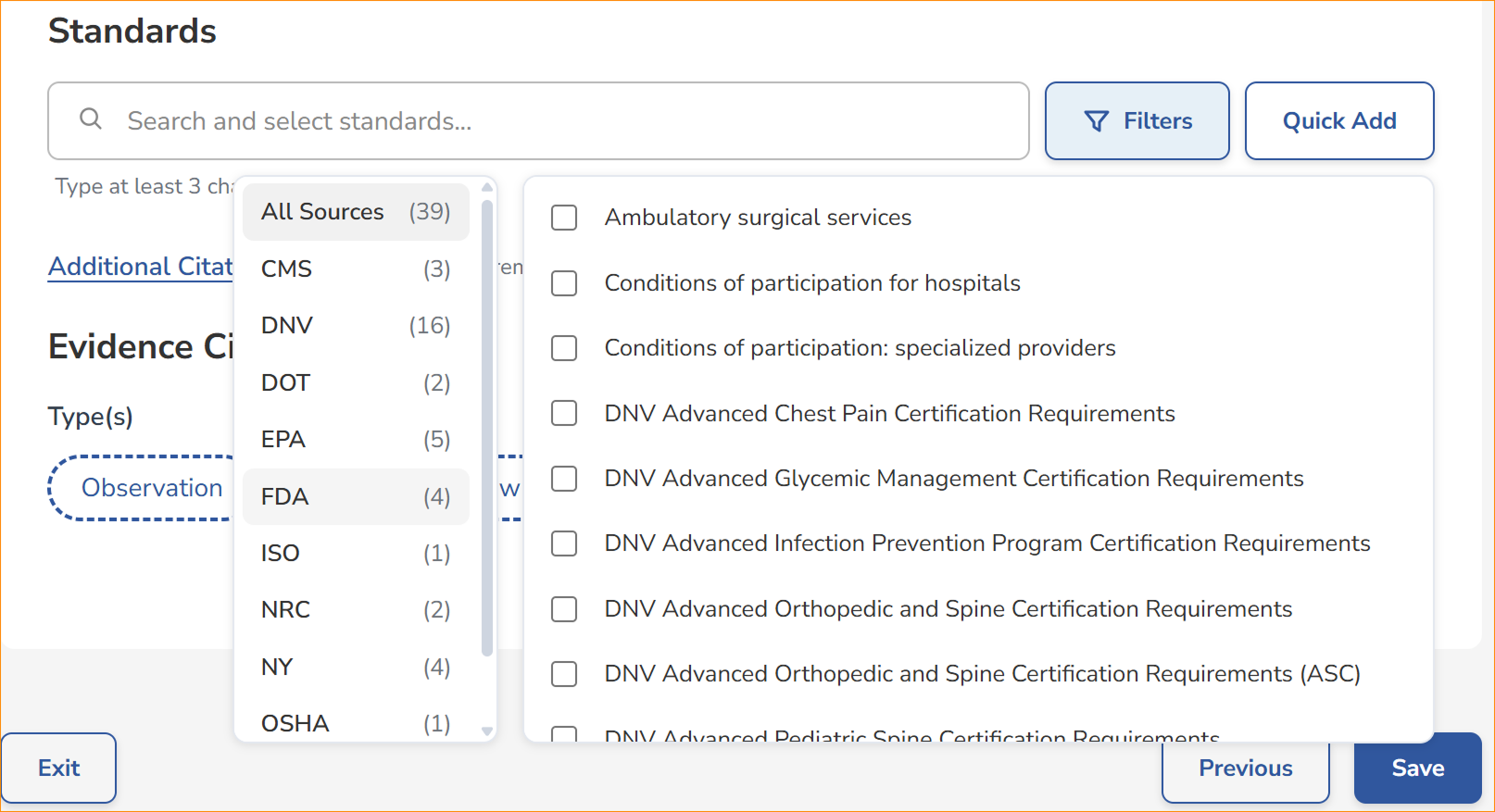
Quality Core holds OSHA's recordable-event criteria and reporting thresholds in a dynamically mapped library of standards, with similarity search, keyword search, and the ability to search across all standards at the same time, so safety rounds, incident-review templates, and CAPA workflows are built against current OSHA definitions.

Light standards picker: a source filter (All Sources, 39, including CMS, DNV, DOT, EPA, FDA, ISO, NRC, NY, OSHA) beside a checkbox list of individual standards to select.

04

Recordable-injury trends and deadline compliance by unit

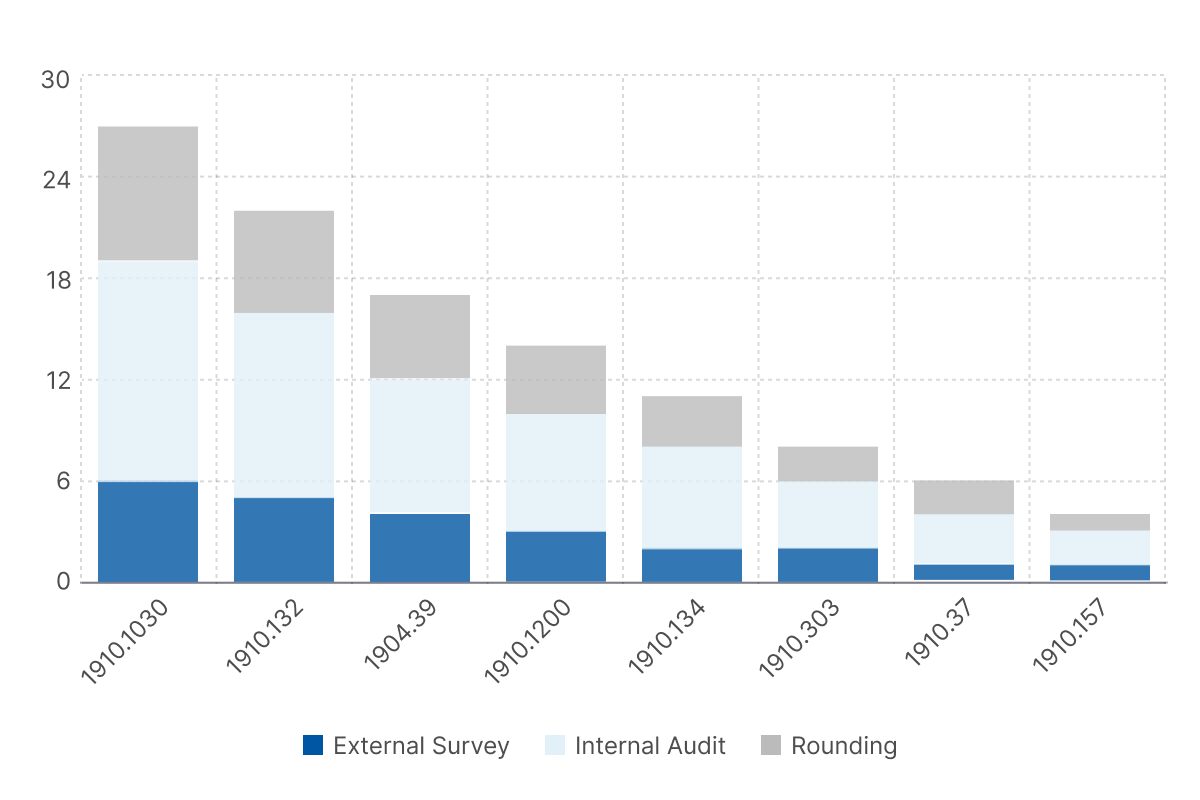
Events are tagged to the applicable OSHA requirement, letting Relevance BI report recordable-injury trends, reporting-deadline compliance, and Form 300A summary data by unit and by year, and My Policy maps your workplace-safety policies to the OSHA requirements they satisfy, with alerts triggered whenever OSHA updates a threshold or form so mapped policies and rule-builder logic stay current.

Light stacked-bar chart: OSHA findings by 29 CFR standard (1910.1030, 1910.132, 1904.39, and others), segmented by source (External Survey, Internal Audit, Rounding).

See it running on your standards.

Book a demo and we will walk through Medlaunch against the frameworks you are surveyed on and the facilities you actually run.

Book a Demo