One Rule. Every Module.
A failed field on a rounding form can open a corrective action, assign it to Facilities, and set the deadline. A finding that cites a policy can push that policy back into review. You write the rule once; the platform runs it everywhere.
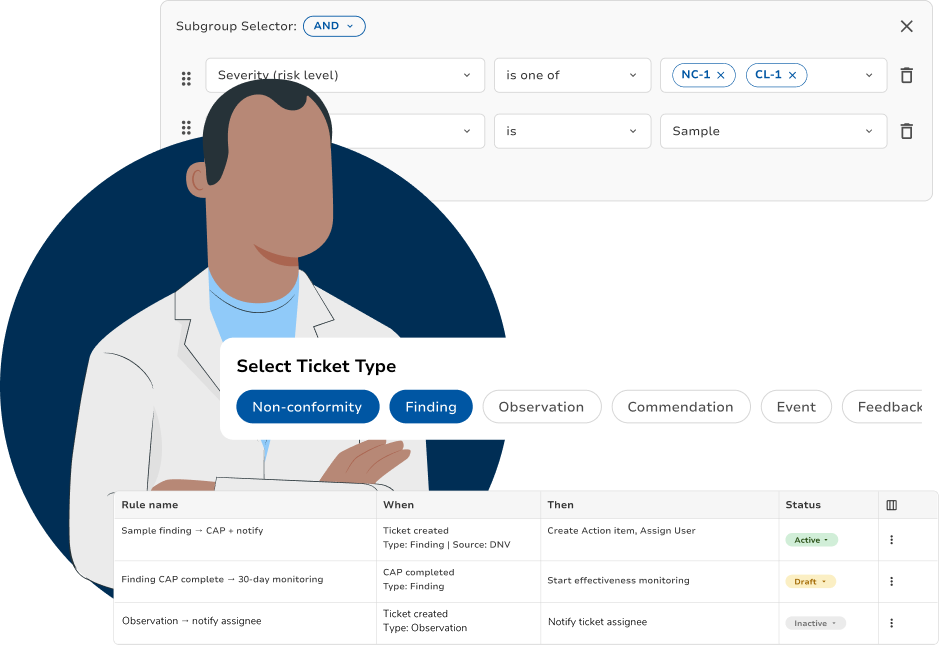
Ten Rules Hospitals Actually Write
None of these needed a developer. Each one is three choices, the thing that happened, the condition that has to be true, and what should happen next. What makes them work is that all three can come from anywhere in the platform.
- Rule 1Modules crossed: Rounds → Findings → TasksWhen
A rounding form field is answered outside the acceptable range
IfSeverity is high and the location is a patient care area
ThenCreate a finding, assign to Facilities, due in 3 days, notify the unit manager
- Rule 2Modules crossed: Audits → RCA → CAPWhen
An internal audit finding is created
IfThe nonconformity is graded at the higher severity category
ThenOpen a root cause analysis, start the corrective action clock, notify the department director and the accreditation coordinator
- Rule 3Modules crossed: Findings → MyPolicyWhen
A finding cites a policy
IfThat policy's last review is more than twelve months old
ThenPut the policy into edit mode and start its approval workflow, assigned to the policy owner
- Rule 4Modules crossed: CAPs → Effectiveness MonitoringWhen
A corrective action plan reaches the end of its monitoring window
IfThe effectiveness criteria were not met
ThenReopen the plan with its history attached, escalate to the quality director, mark it as a recurrence
- Rule 5Modules crossed: Findings → Risk RegisterWhen
The same standard is cited twice within twelve months at one site
IfBoth citations are open or closed-ineffective
ThenCreate a systemic risk entry in the risk register and put it on the QAPI committee agenda
- Rule 6Modules crossed: Rounds → TasksWhen
A scheduled round passes its due date
IfOverdue by more than 48 hours
ThenNotify the unit manager; at 96 hours, notify the department director
- Rule 7Modules crossed: Vendor Management → CAPsWhen
A contract evaluation is scored
IfThe vendor scores below your threshold and provides clinical services
ThenOpen a vendor corrective action plan and notify contract management
- Rule 8Modules crossed: Standards → MyPolicy → TicketsWhen
A standard in the library is revised
IfOne of your policies is mapped to that standard
ThenFlag the policy for gap review and create a ticket for its owner
- Rule 9Modules crossed: Audits → ImprovementWhen
An audit closes
IfIt contains at least one noteworthy effort
ThenRoute it to the improvement library and notify every unit with the same process area
- Rule 10Modules crossed: Findings → Quality ObjectivesWhen
A finding is created in a department
IfThat department has an open quality objective on the same measure
ThenLink the finding to the objective and update the objective's status
The Finding That Reviews Your Policy
The most useful rule on the list is the one nobody thinks to ask for. When an auditor cites a policy in a finding, that policy has just been shown not to work, and it should not wait for its scheduled review date.
Pick What Starts It
The trigger is an object, not a form: "a finding is created". Anything the platform creates can start a rule, a round submitted, an audit closed, a CAP overdue, a contract scored, a standard revised.
Add the Condition
Narrow it until it is the case you actually mean. Here: the finding cites a policy, and that policy has not been reviewed in twelve months. Conditions can read any field on the triggering object or on the objects it links to.
Choose What Happens
Actions reach across modules. This one moves a policy into edit mode, opens its approval workflow, and assigns it to the owner of record, three things a person would otherwise have to remember to do in a different part of the platform.
Watch It Run
Every rule keeps a run history: what fired, what it created, and what it skipped. When a surveyor asks how a policy came to be under review, the answer is a record with a date on it, not a recollection.
Related
- Policy-Driven AutomationTriggers, conditions and actions work the same everywhere. See how the rule builder is put together.
- RoundsStart a rule from a failed field on a round.
- AuditsStart a rule from an audit finding.
- RCA & CAPsHave a rule open a root cause analysis and corrective action plan.
- Effectiveness MonitoringHave a rule start an effectiveness monitoring window.
- Approval WorkflowsHave a rule send a policy into its approval workflow in MyPolicy.
- Risk RegisterHave a rule add an entry to the risk register.
- Vendor CAPsHave a rule open a vendor corrective action plan.
- Quality ObjectivesHave a rule link a finding to a quality objective.
- Reporting & DashboardsSee how often each rule fires, and what it created.
Read the rule back before it runs
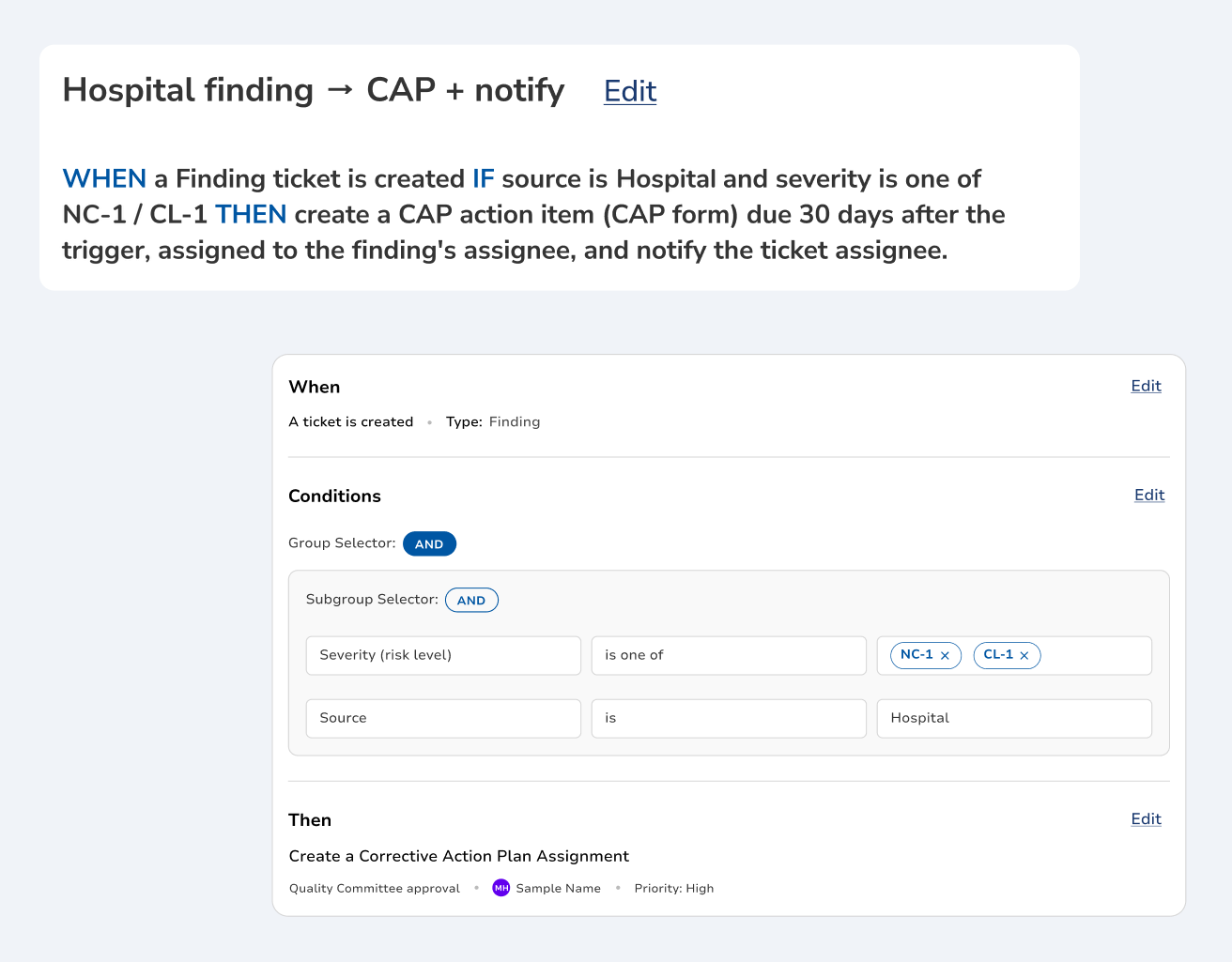
A rule nobody can read is a rule nobody trusts, and an administrator who cannot explain one will not turn it on. Every rule states itself in a single sentence — what starts it, what has to be true, what happens next — directly above the panels you built it in. You approve the sentence, so the rule that runs is the rule you read.
Every task it opens carries its own trail
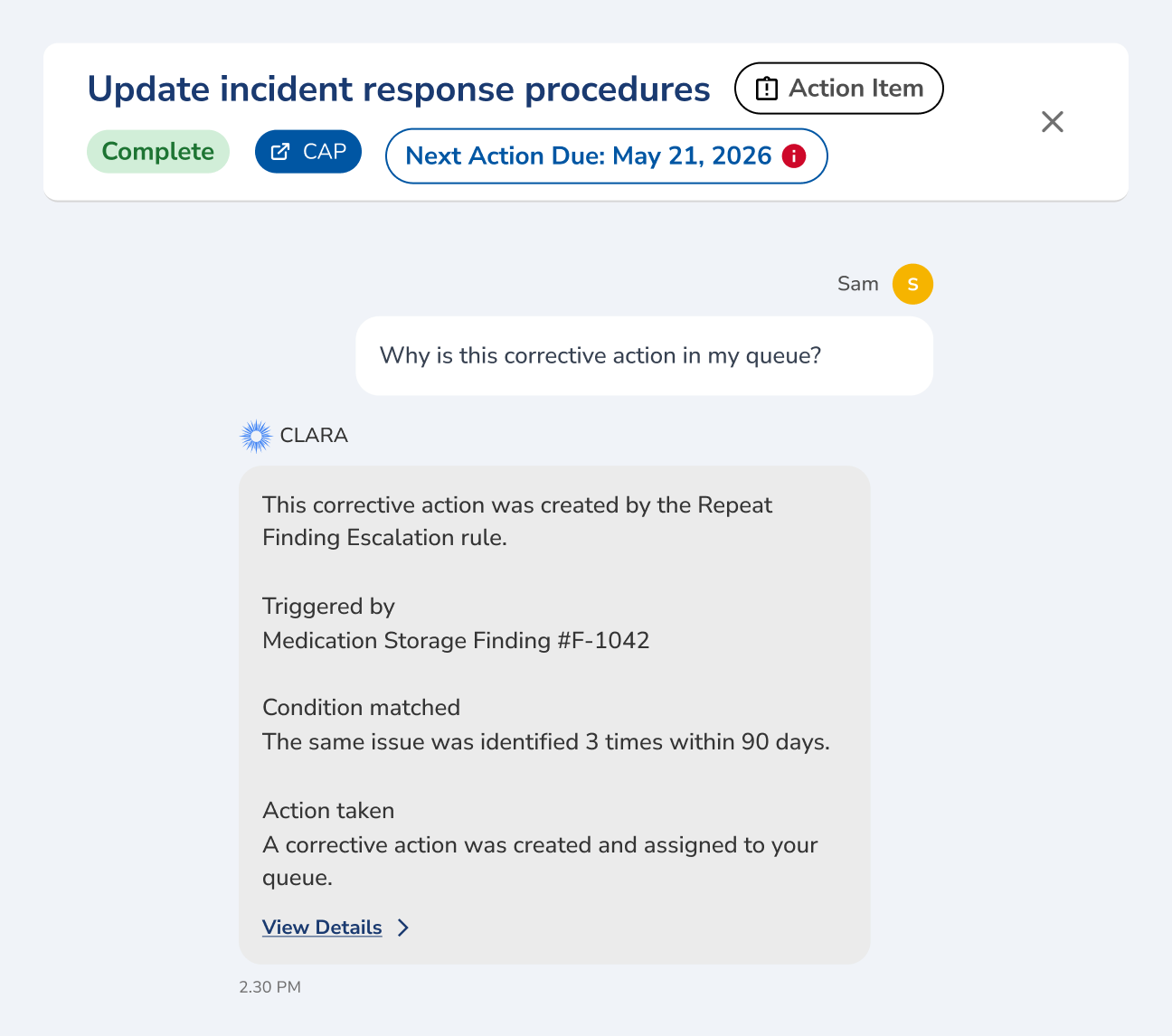
Work that appears in a queue with no explanation gets ignored, and quality work that gets ignored shows up again at the next survey. A corrective action opened by a rule keeps the link back to it, so asking Clara why it is in your queue returns the rule that made it, the finding that triggered it and the condition that matched. Nobody has to reconstruct it later.
The rule that stopped meaning what it meant
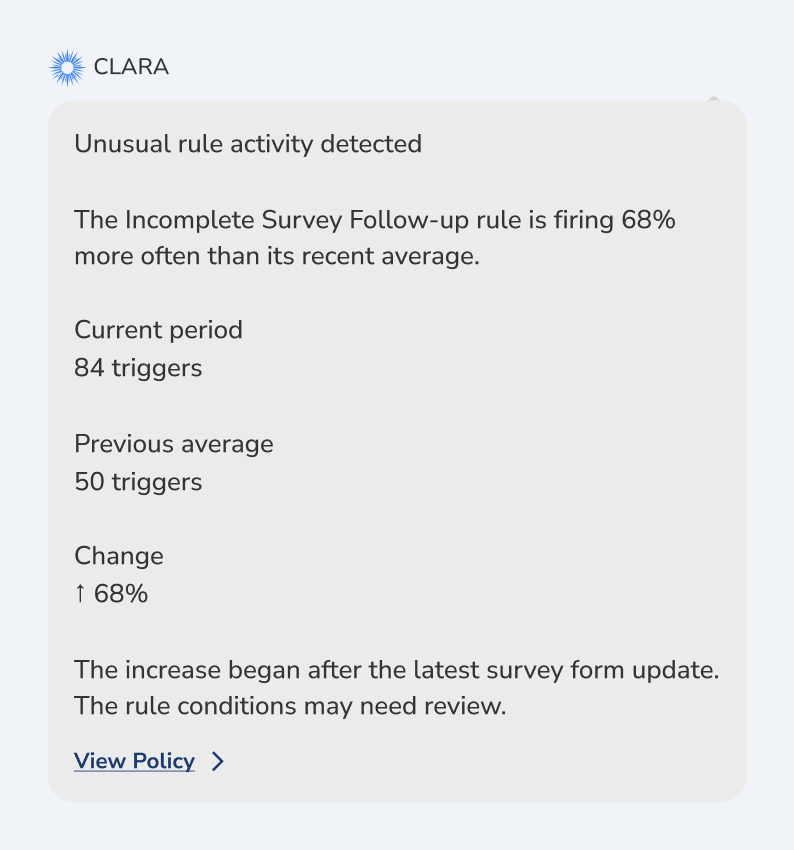
Forms get edited and departments reorganize, and a condition that picked out the exception last quarter quietly starts matching everything. Clara watches how often each rule fires against its own recent history and tells you when one breaks its pattern. You adjust the condition while it is still a configuration question, not after a year of noise.
How Clara AI Enhances Automations
Need a rule? Describe it, or point Clara at the policy that already spells out the process. She turns "when a Life Safety round fails a rated-door check, open a CAP for Facilities within three days" into a configured rule and shows you the trigger, the condition and the action she chose. Nothing runs until you turn it on.

CLARA
Clarity in complianceClara reads
Clara proposes
Clara shows the trigger, the condition and the action in plain language. Nothing runs until you turn the rule on.