Your Policy. Enforced Automatically.
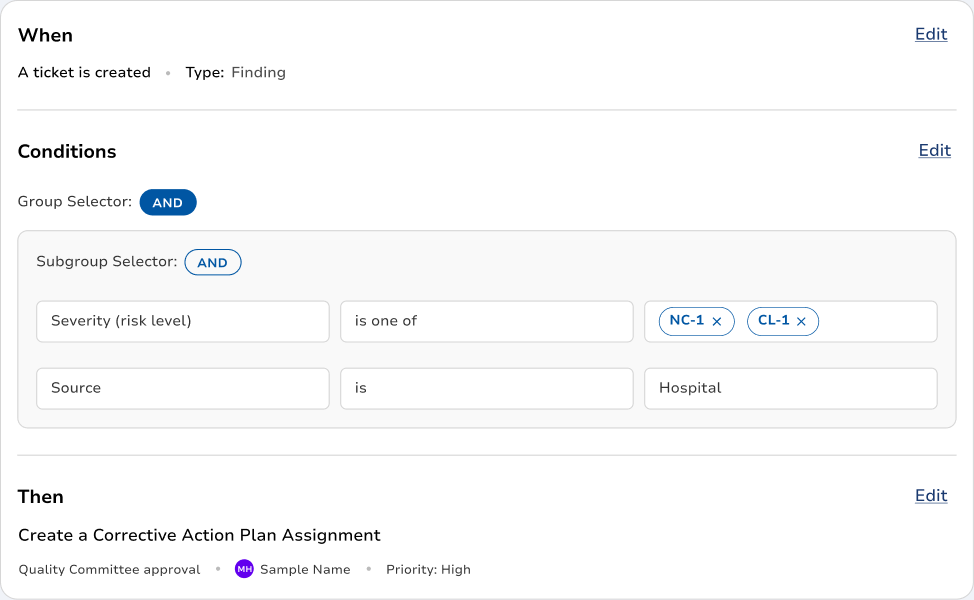
Build the rule once: when this happens, and these conditions are true, do this. Assign the task, notify the role, start the approval, escalate the overdue action. Point the rule at the policy that requires it, and every firing is logged.
Related
How a Rule Works
Every automation on the platform is the same three parts: something happens, some conditions are true, and something gets done. What changes between use cases is what you put in each slot.
Triggers, What Starts It
An event is submitted. A field changes to a value. A due date passes. A corrective action closes. A form score falls below a threshold. A date arrives on a schedule. Anything the platform records can start a rule.
Conditions, When It Applies
Severity is three or higher, AND the site is Memorial, AND the event involved a high-alert medication. Group them, nest them, combine them with AND and OR. A rule that fires on everything is a rule people turn off.
Actions, What It Does
Create a task and assign it. Notify a role rather than a person, so it survives turnover. Open a root cause analysis. Start an approval. Put a policy into review. Escalate. Set a field. One rule can do several.
Scope, Where It Applies
A rule can run at one department, one site, or across the whole system. A multi-hospital organization does not want one facility’s escalation ladder applied to all of them, and does not have to accept it.
Written From Your Policy
Attach the policy that requires the rule. Anyone looking at the automation can see which sentence in which document it exists to satisfy, and when that policy is revised, the rule that depends on it is findable.
Every Firing Is a Record
What triggered, which conditions matched, what it did, who received it, and when. A rule that ran is evidence that your policy was followed, which is a better answer for a surveyor than a description of intent.
Related
- Approval WorkflowsRouting a policy through approval and review is MyPolicy's job, including the rule that puts it back into review after a finding.
- AutomationsThe same engine runs on audits, rounds and policy review. See what people build with it.
- Incident ManagementEscalation ladders, review deadlines and closure requirements on a case are all rules.
Guardrails
An automation engine is only adoptable if the person switching it on believes they can undo it.
Nothing Fires Until You Say So
A rule you cannot test is a rule you will not turn on. Build it, run it against events that already happened to see exactly what it would have done, then activate it. Every version of every rule is kept, so you can see who changed the escalation ladder and when.
Simulate Before You Activate
Run a draft rule against historical events and see the tasks it would have created and the people it would have notified, before a single notification goes out.
Who Can Write Rules
Rule authoring is a permission, not a free-for-all. Your administrators decide who can create, edit and activate, and the change history names them.
Versioned and Reversible
Every edit to a rule is a version. Roll back to the one that worked, and see what changed in between and who changed it.
People, Not Just Robots
An automation can require a human step, an approval, an acknowledgement, a sign-off, before it moves. A co-pilot, not an autopilot.
Related
How Clara AI Enhances
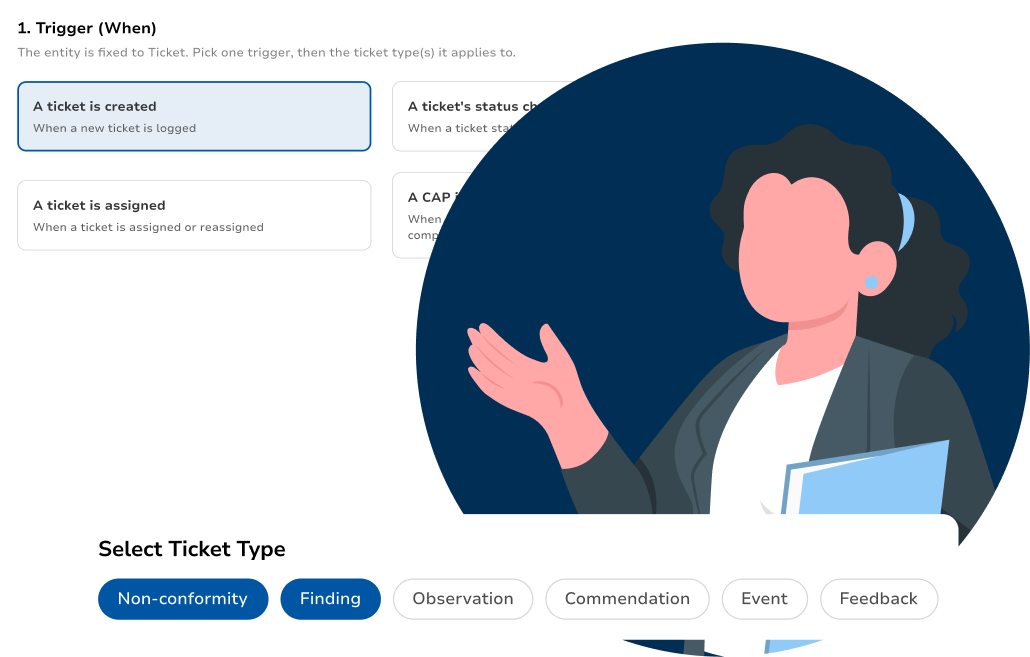
the Rule Builder
Hand Clara a policy document, or let her search the library you keep in MyPolicy, and she turns the sentences that set requirements into draft rules and tells you what each one would have done. She writes the draft; you read it, change it and switch it on. No rule Clara proposes is active until a person with the permission to activate it does so.