The Clock Starts Where the Statute Says.
Medlaunch maintains a library of state and federal reporting requirements, and you can edit any of them or add your own. When a qualifying event is logged, the task is created, the deadline is calculated from the anchor the statute names, and the filing is recorded.

Requirements, Maintained and Yours to Edit
Reporting requirements do not change often, but they are impossible to hold in your head across four states and forty event types. Medlaunch maintains them as records the platform can act on, and you edit any of them or add your own.
A Maintained Library, Editable by You
Each obligation is a record: what triggers it, which agency it goes to, how long you have, who owns the filing and what evidence to keep. Medlaunch maintains the library so you do not research your own state to start, and you can edit any requirement or add your own.
The Clock Starts Where the Statute Says
Deadlines calculate from the anchor the requirement names, the date the event occurred, the date you became aware of it, or whatever the statute uses, not from the date somebody opened the case. That difference is where most missed deadlines actually come from, and it is a setting, not an accident.
Tasks That Are Required by Law
A regulatory task is marked as one. It appears differently, it escalates differently, and it cannot be closed with a note saying no action was needed. It closes when the filing is recorded.
OSHA's Fixed Windows
A work-related fatality is reportable to OSHA within eight hours. An in-patient hospitalisation, amputation or loss of an eye is reportable within twenty-four. Configure them once and every qualifying employee event starts the right clock automatically.
Multi-State, Multi-Facility
A system operating across state lines applies the right requirement set to each facility instead of applying the strictest one everywhere. Your Florida hospital and your Georgia hospital do not have to pretend to be the same.
Proof That You Filed
Who submitted, when, what was submitted, and the confirmation that came back, attached to the event, kept with it. The person who filed it may not work here in three years. The record still will.
From Incident to Required Follow-Up
Where the Platform Stops and Your Judgment Starts
Reporting requirements are law, and law is not something software should tell you it has handled. Here is exactly what we do and what stays with you.
A Missed Date Shows on the Item
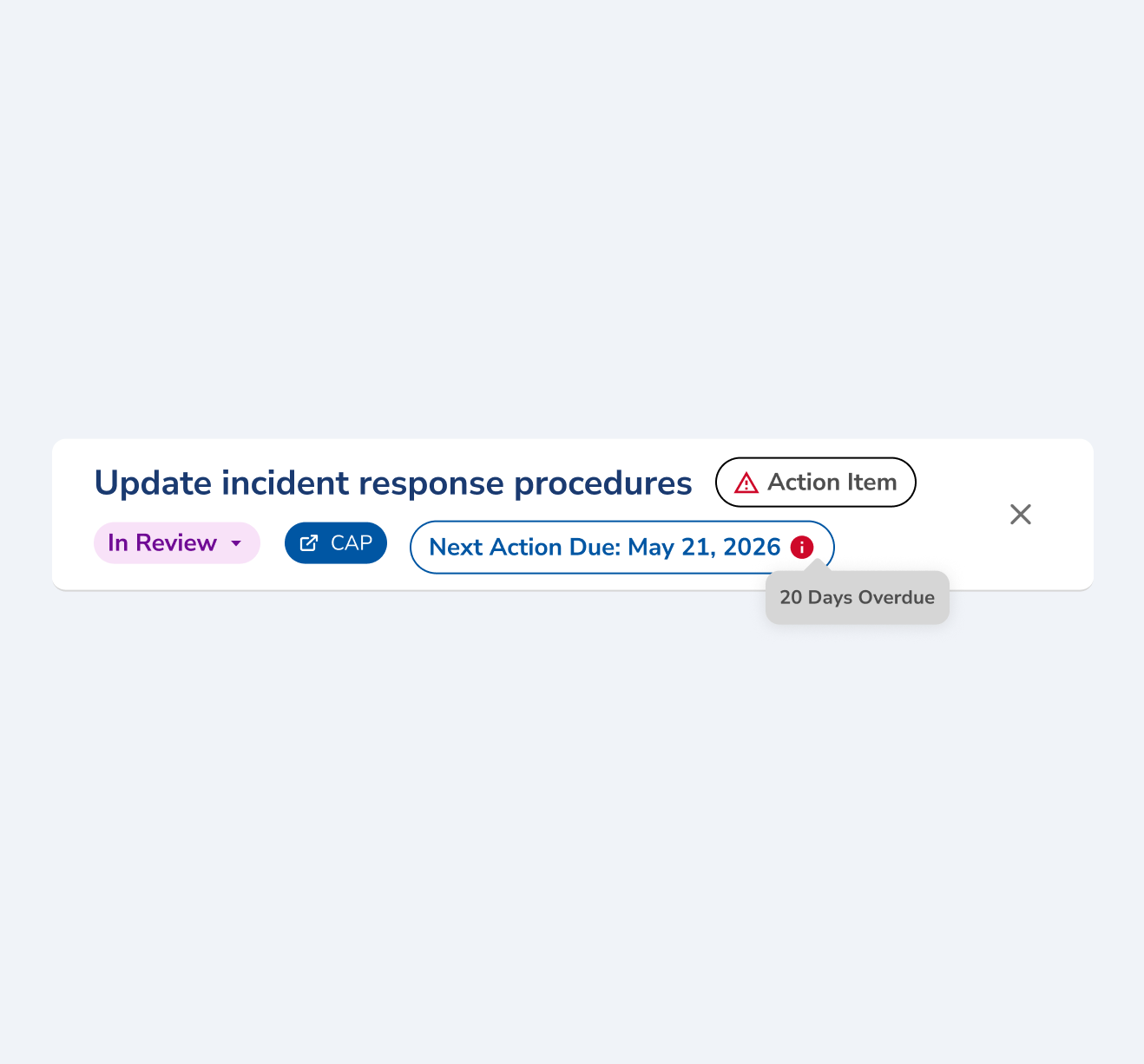
Every task shows its next action date in its own header. Once that date passes, the task says how many days overdue it is, so a deadline that slipped is visible on the record itself instead of turning up at the next review.
The same engine runs against rules you wrote yourself, your escalation ladders, your review requirements, where missing one is an internal failure rather than a citation. That is Policy-Driven Automation.
The Facts a Requirement Checks
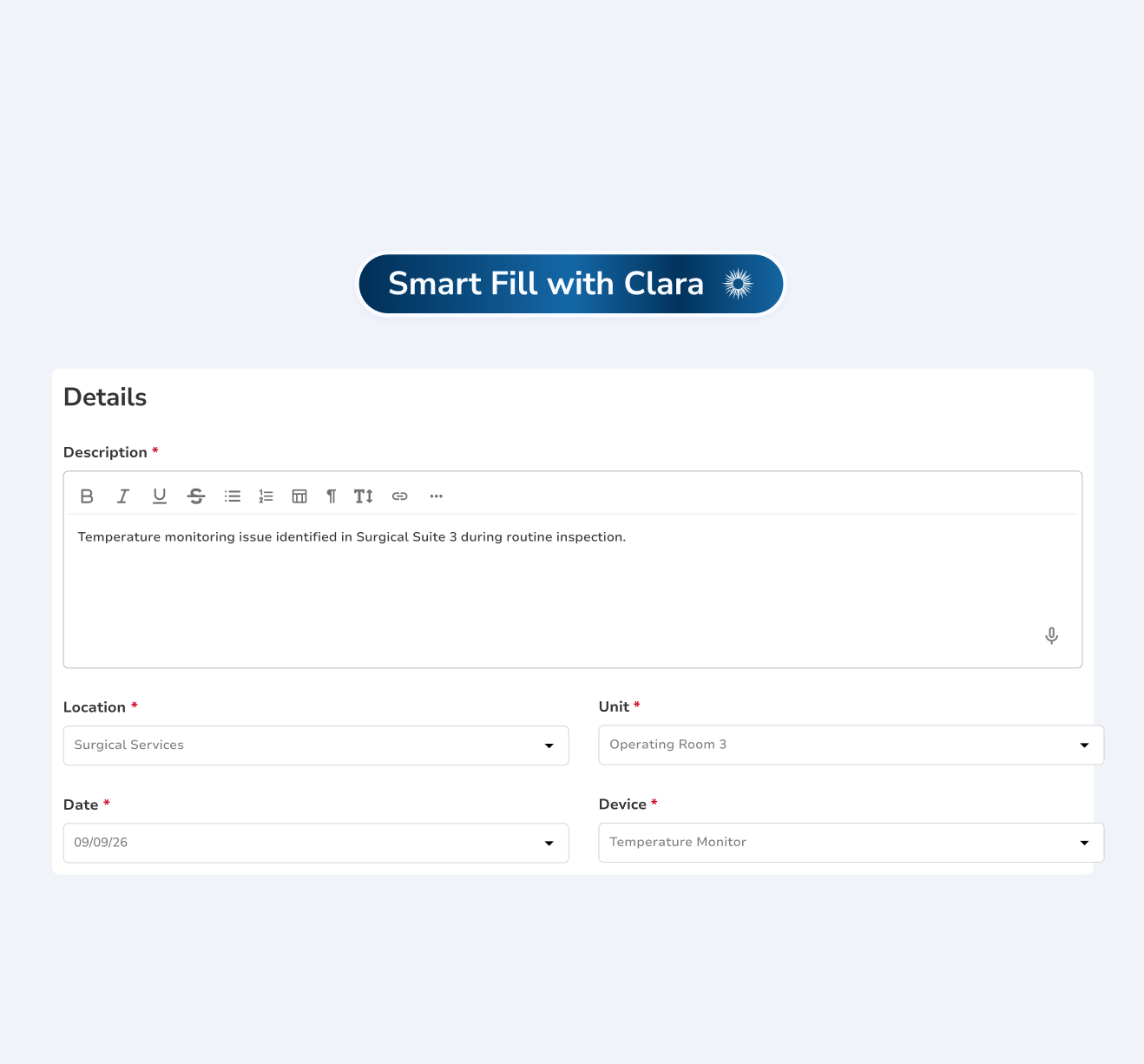
A requirement in your library triggers on specifics: where the event happened, when, and which device was involved. The event form makes those required fields, and Smart Fill with Clara completes them from the description you give, so the facts your requirements check are on the record from the start.
The reportability determination is made once on the case and recorded with its reasoning, in Incident Management.
The mandated report itself is built and run in Reporting.
How Clara AI Enhances
Regulatory Reporting
Clara watches the clock and drafts the paperwork. She flags events that match the criteria you configured, counts down against your windows, and writes a first draft of the narrative from the case record. She never determines reportability and she never files anything, a person does both.

CLARA
Clarity in complianceClara reads
Clara proposes
Clara never determines what is reportable. Your risk manager makes that call, and nothing is filed until a person sends it.