Clara Voice
Click a field and dictate straight into it, or talk through the whole finding and let Clara fill the form. She knows the vocabulary, shows you what she heard, and tags every field she filled so you review it before anything saves.

Speak the Finding. Skip the Form.
Generic dictation was built for email. It hears "Dilaudid" as "dilated," has no idea what an A-tag is, and hands you a paragraph when what you needed was a completed record.
Built for Clinical Language
Clara recognizes medications, dosages, abbreviations and clinical terminology, and captures phrases like "Dilaudid 2mg IV push" without a correction pass. She also knows NIAHO, CLABSI, CAUTI and CMS A-tags are terms, not typos.
On Every Form, Out of the Way
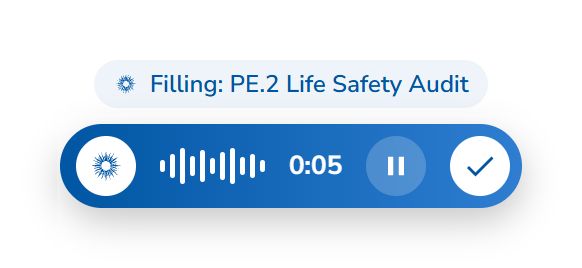
This is not a separate dictation app you open. Clara Voice rests as a thin blue pill at the bottom of the form you are working in, clear of your Continue button. Hover it, or press Ctrl + Win, and start talking.
Straight Into the Field You Pick
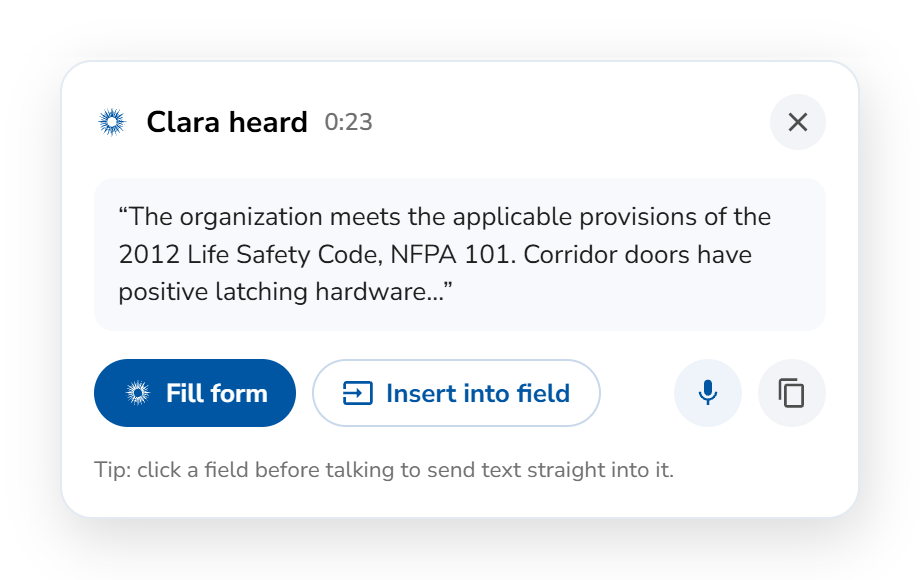
Click a field before you talk and your words drop into it the moment you finish, with Undo if you change your mind. Already talking? Choose Insert into field afterwards and click where the text belongs.
On Your Phone, on the Floor
Survey walkthroughs happen standing up, sometimes in a corridor. On mobile, Clara Voice sits at the bottom of the screen, so you speak the finding where you are standing instead of typing it up back at your desk.
Talk Once, Fill the Form
With no field selected, say the whole finding. Clara shows you what she heard, and Fill form places each part in the right field. A chip above the pill names the form she is filling, so nothing lands somewhere unexpected.
You Read Before It Saves
Nothing is submitted by voice alone. Clara tells you how many fields she filled, Review takes you to the first one, and each carries a Filled by Clara tag. Speaking is faster input, not a shortcut past review.
What Happens to What You Say
Voice capture in a hospital means protected health information spoken out loud in a corridor. Here is the handling, stated plainly, so your privacy officer can read this page instead of scheduling a call.
Inside Your Environment
Voice is processed within the same platform boundary as everything else in Medlaunch, under SOC 2 Type II and HIPAA controls.
Audio Is Not the Record
The transcript is the record. The audio never leaves your device. The transcript, reviewed and corrected by you, is what saves. Audio is held in local storage on your own device only, so a failed transcription can be retried, and it is not retained server-side.
Same Permissions, Same Trail
Dictated content obeys the same role-based access controls as typed content and writes to the same audit trail. A spoken finding is not a less defensible finding.
Related
- McLeod Health Case StudyHow McLeod Health's accreditation team talks through rounding findings with Clara instead of typing them up.
- RoundsDictate the failed answer on the unit instead of writing it up afterwards.
- AuditsDescribe what you found out loud and Clara drafts the entry for your lead auditor.
Faster Input. Same Controls.
Speaking changes how fast the record gets made, not who is accountable for it. Every voice-created finding, event or action lands in draft, attributed to you, editable, and logged exactly like something you typed. Clara moves; you approve.

CLARA
Clarity in complianceClara reads
Clara proposes
Clara shows what she heard and tags every field she filled. Pressing Continue stays your deliberate act.