Start With a Draft, Not a Blank Page
Write and revise policies in an editor that already knows your library. Pull a template, ask Clara for a first draft, cite the standard inline, and collaborate in one document instead of five email attachments.
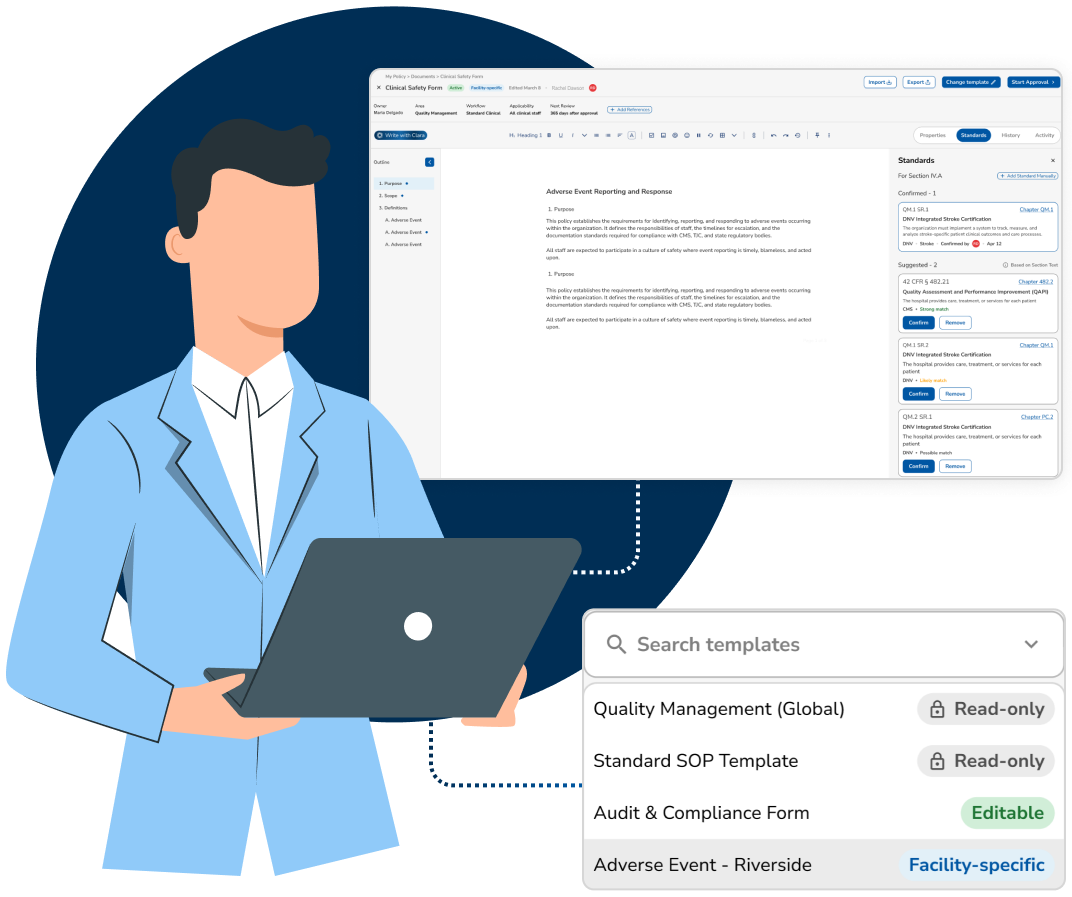
Confident, Collaborative Policy Creation
Drafting is where policies go wrong, wrong template, wrong baseline, wrong standard, three versions in three inboxes. MyPolicy puts every one of those decisions inside the document you are writing.
Built-In Editor
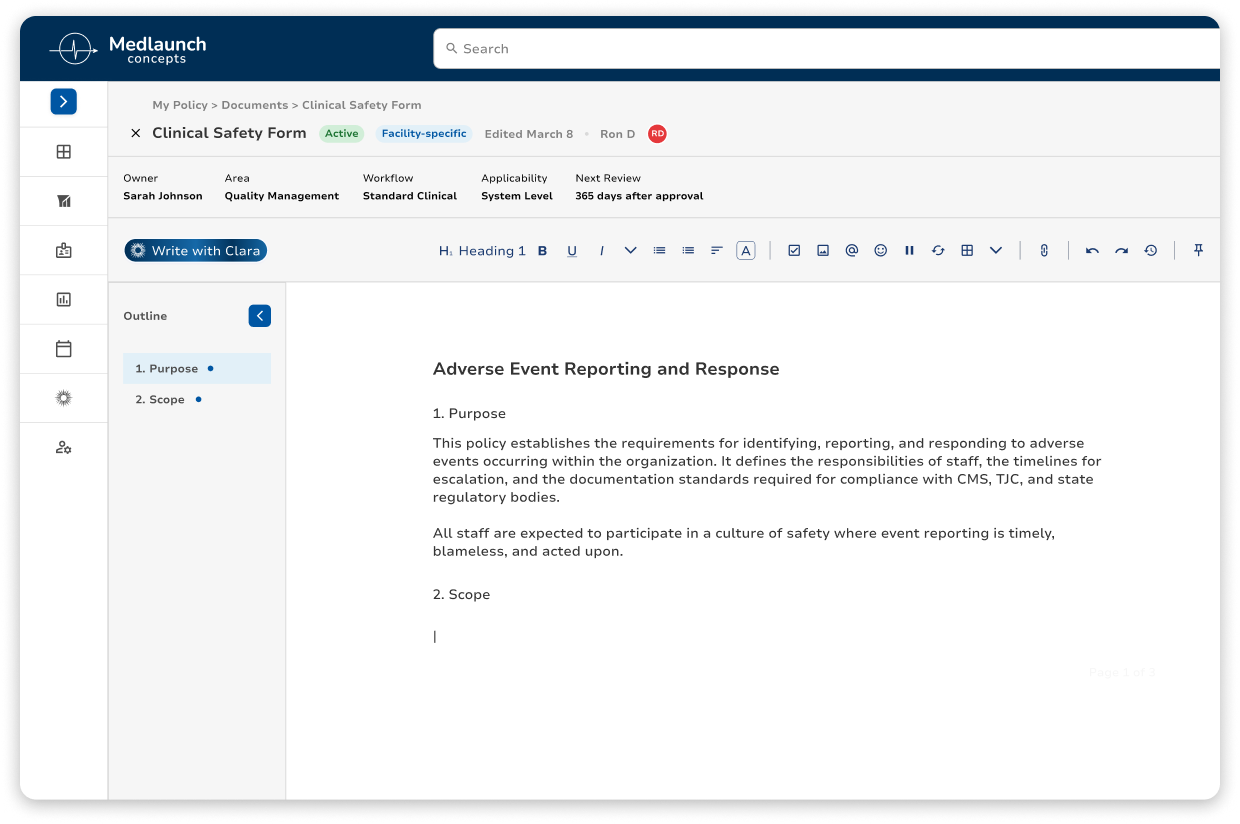
Create and update policies directly within the platform using a structured, easy-to-use editor. Standardized formatting and centralized drafting eliminate version confusion and disconnected document storage.
Templates and Baselines
Start from an approved template, from a sibling department's policy, or from the version you published last year. The baseline you chose is recorded, so a reviewer can see where the language came from.
Inline Standards Citations
Cite the standard a section answers while you write it. The draft carries citation links to the specific requirement it addresses, so reviewers see the basis for the language instead of guessing at it.
Locked Template Sections
Lock the parts of a template that have to read the same in every department. Authors edit only the sections that are theirs to write, so the standardized language stays as approved and every policy in your library looks the same.
Draft, Then Route
When the draft is ready, send it into its approval workflow from the editor. You do not export, attach, or email anything, the document you wrote is the document that gets approved.
Reopened by a Finding
Set the rule and an internal audit finding that cites a policy pushes that policy straight back into edit mode, with the finding attached, so the rewrite starts with the reason for it. Policies never reopen on their own until you turn that rule on.
Write in rich text, not in Word
Headings, tables, numbered clauses, and attachments in a structured editor that produces the same formatting for every policy in the library. No more "why does this one look different."
Start from a sibling department's policy, find it in seconds.
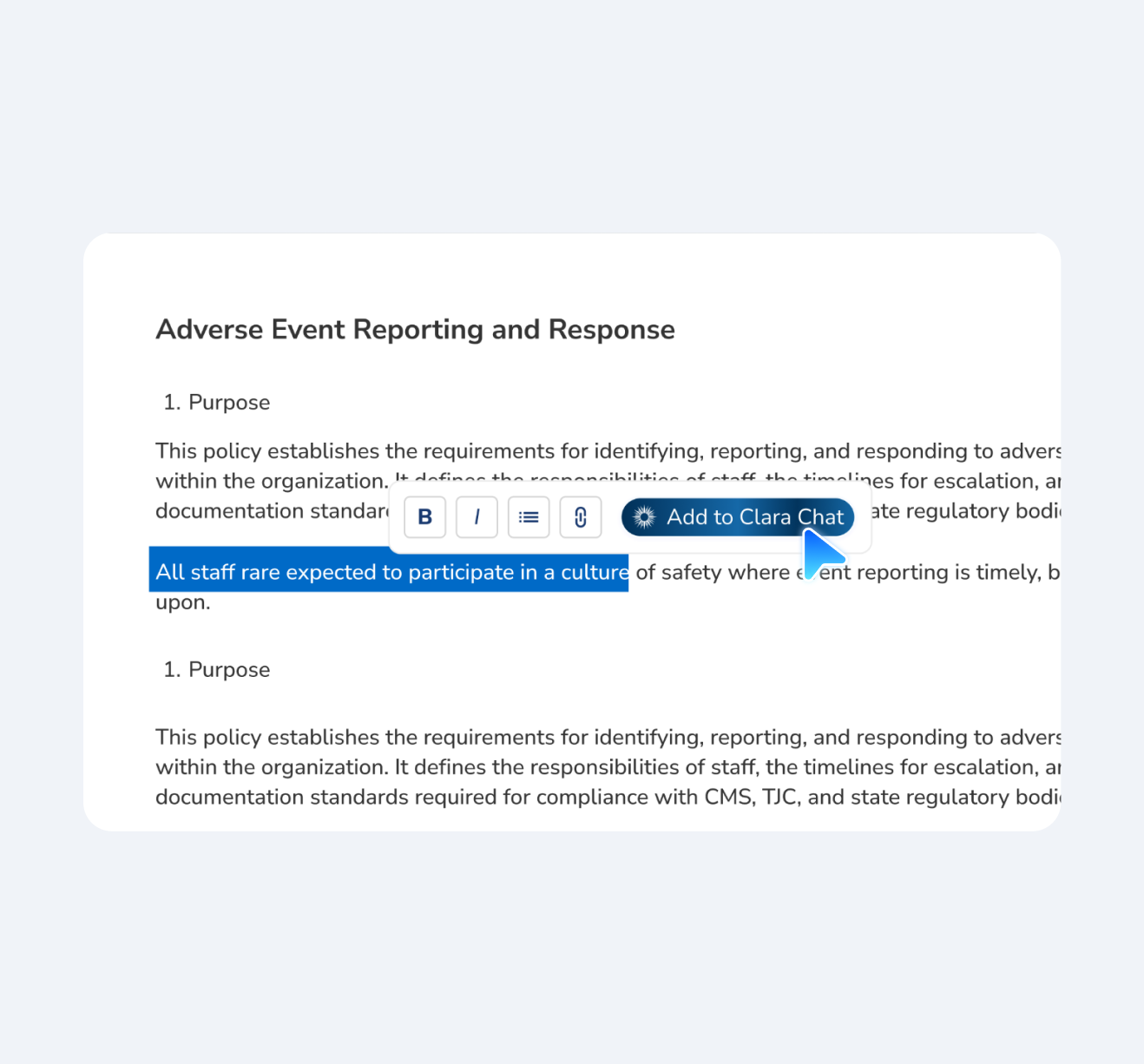
Ask Clara mid-sentence
Highlight the paragraph that is not landing, send it to Clara, and get a clearer version back in the editor. Accept it, edit it, or discard it.
Cite the standard a section answers while you write it, and see the full coverage map across your library.
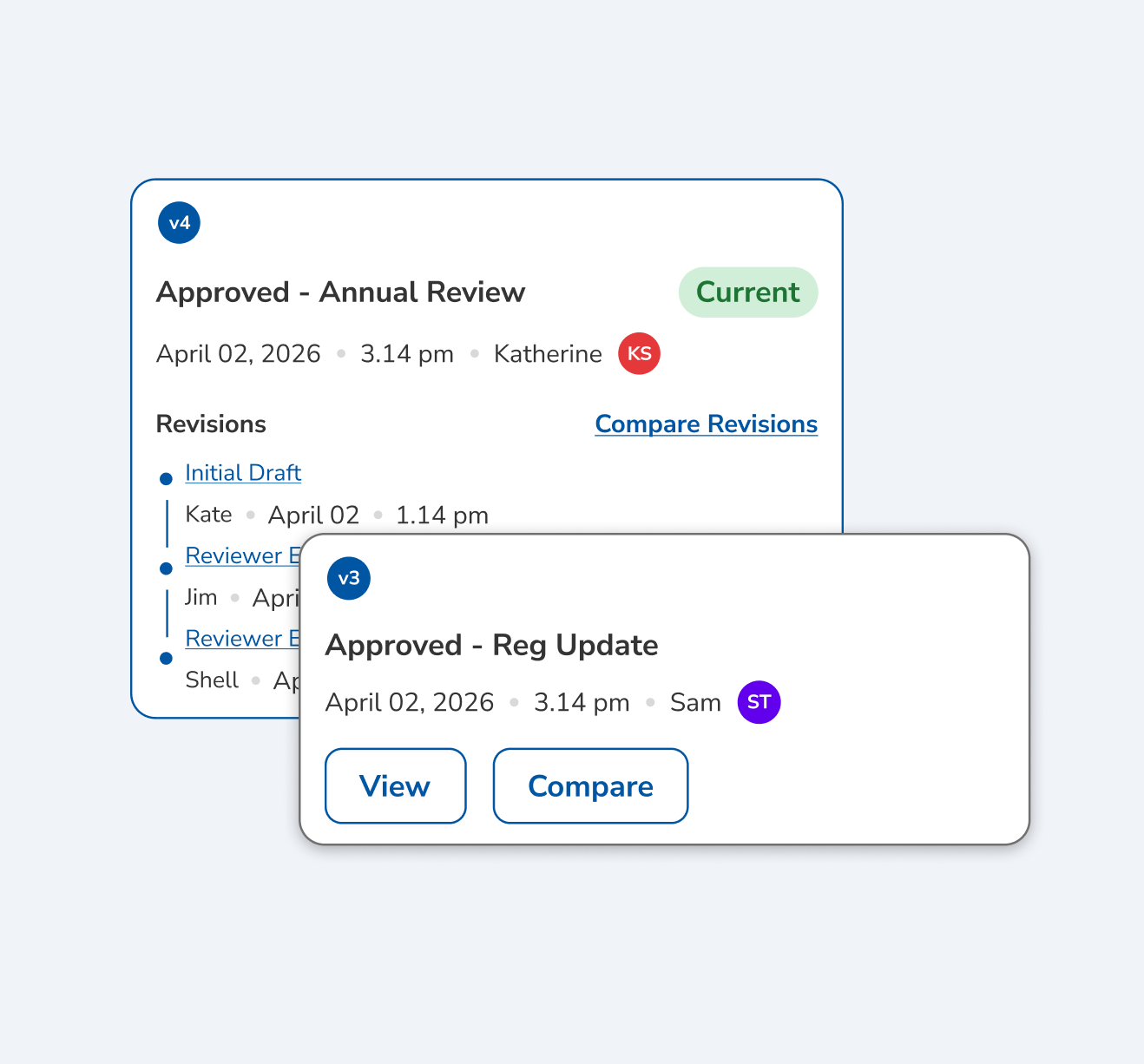
Every draft is saved as a version
Working versions are numbered from the first save, so you always know which draft you are in and can return to the one you started from.
The full version record, diffs, and change log are what a surveyor sees.
Related
How Clara AI Enhances Policy Creation
A co-pilot, not an autopilot. Clara pairs her compliance knowledge base with yours to help you draft faster, with more coverage and accuracy, while you review and approve every word. Skip the blank-page struggle; you stay in control.

CLARA
Clarity in complianceClara reads
Clara proposes
A co-pilot, not an autopilot. Clara drafts, and you edit and approve every line before it is published.